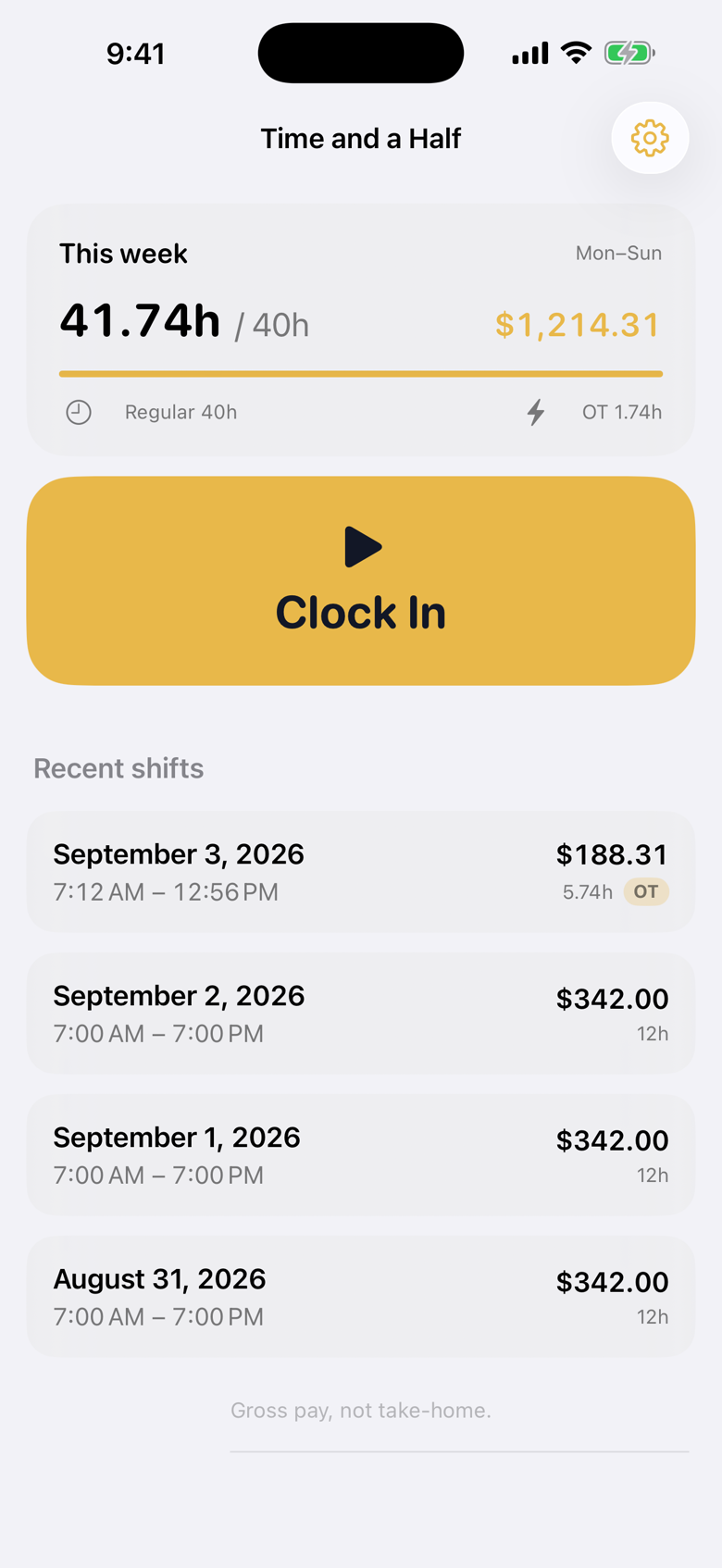
Ready to clock in
Week hours, overtime so far, and one big gold button.
iPhone overtime clock
Gross pay ticks on the Lock Screen and Dynamic Island. Regular time first, then time and a half after 40 hours this week.
No account. No ads. Rate and shifts stay on this iPhone.
Week hours, overtime so far, and one big gold button.
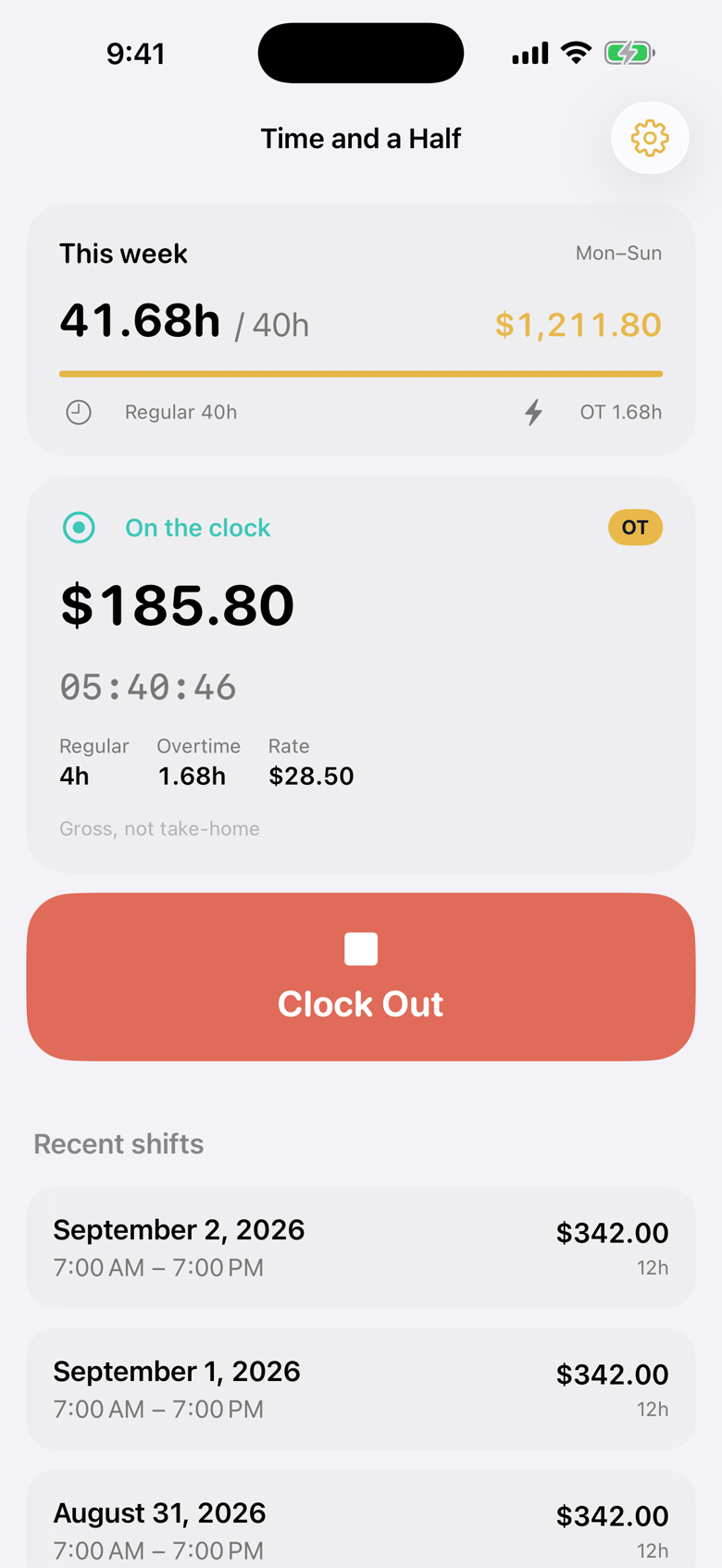
Live dollars, a running timer, regular vs overtime split.
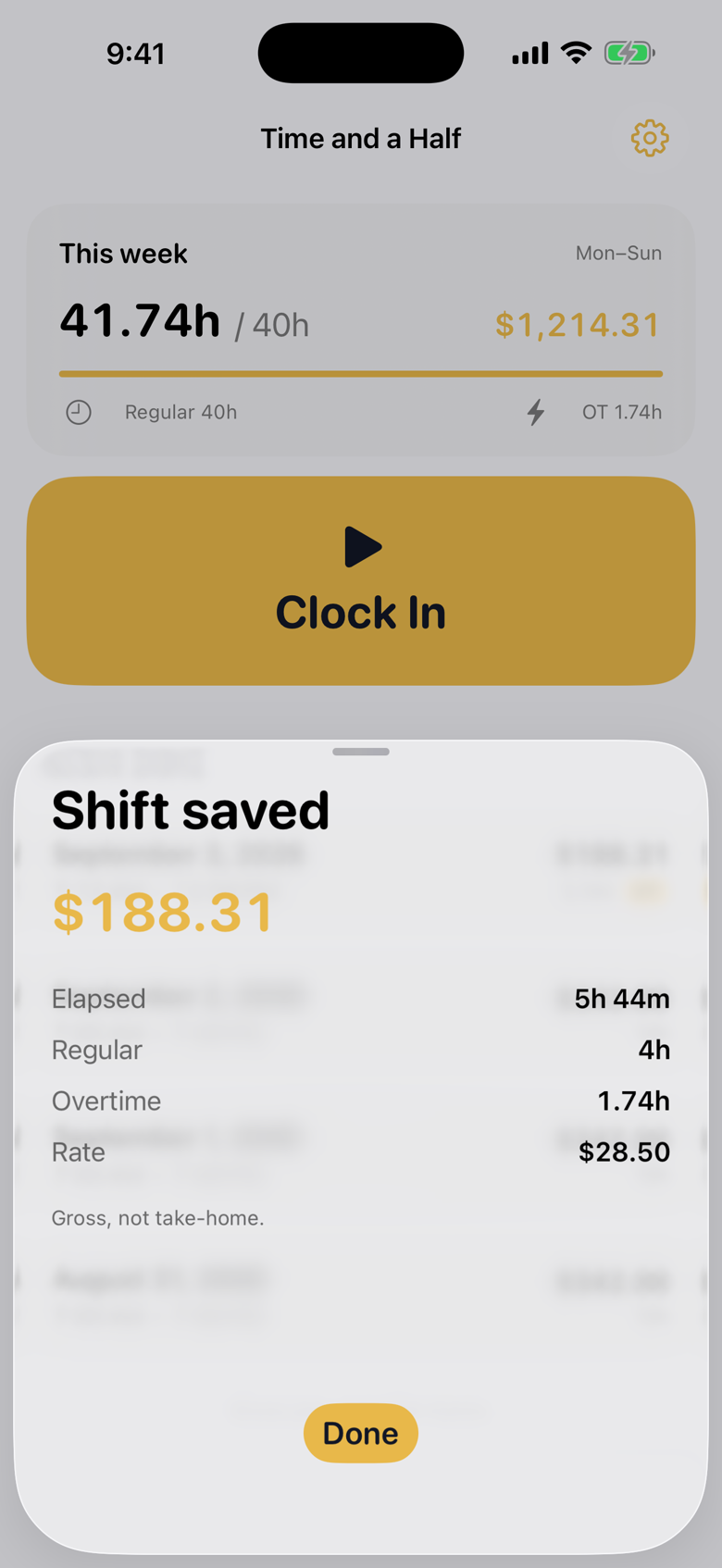
Clock out and get the recap: elapsed, regular, OT, rate.
Lock Screen and Island
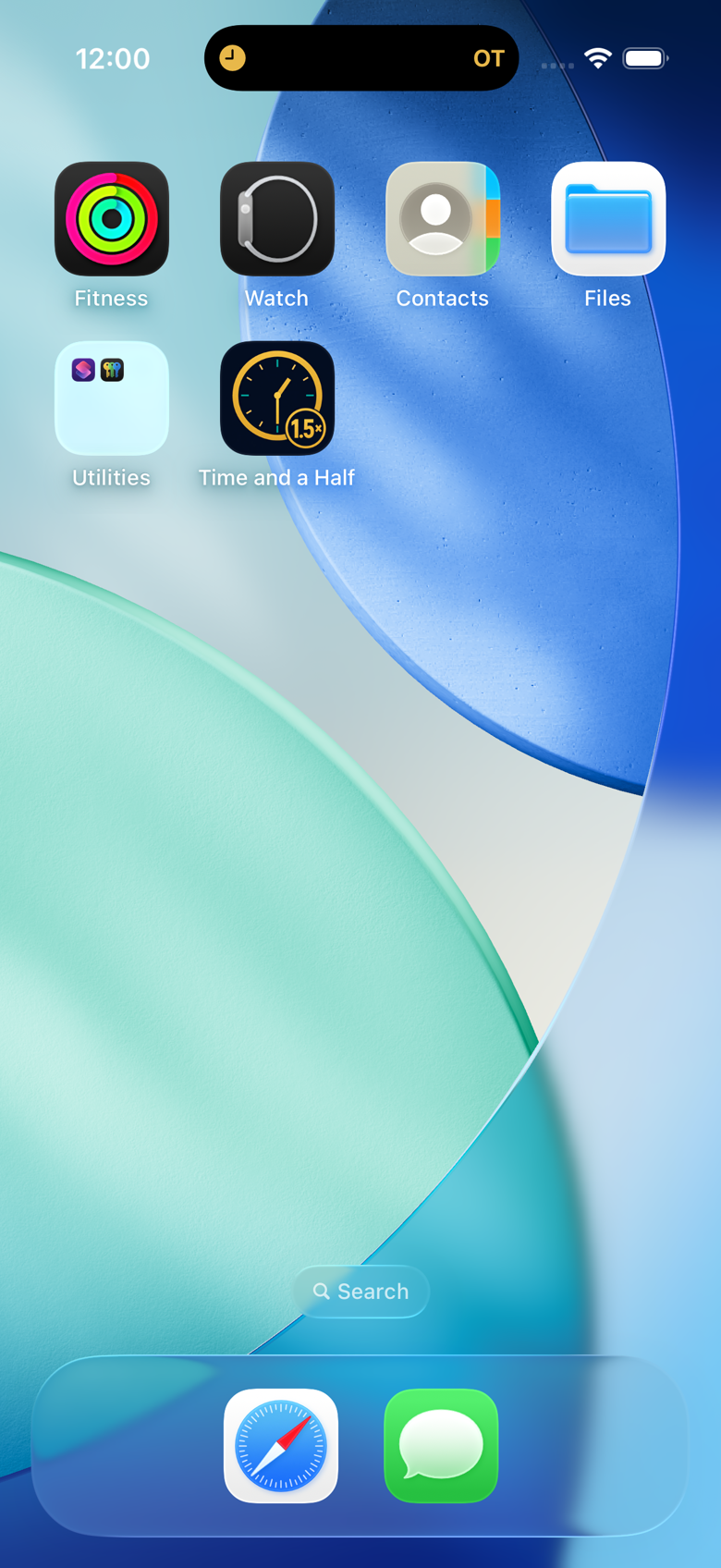
Start a shift and Time and a Half stays in Dynamic Island. The OT badge is there when you glance at the phone, no unlocking required.
Widget and Control Center can start a recording of the clock too, so you are not digging through Home Screen to punch in.
Your rules
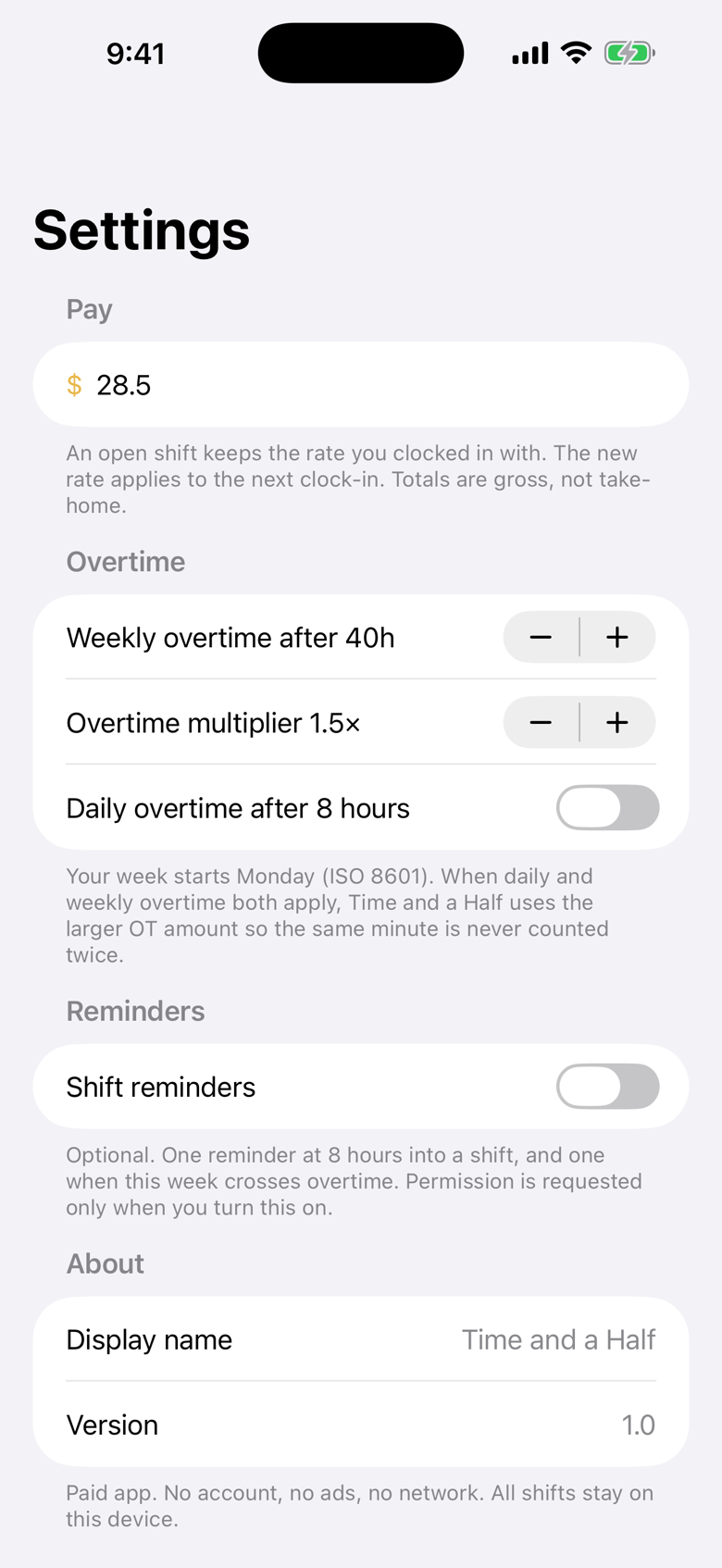
Default is overtime after 40 hours this week, paid at 1.5x. You can bump the threshold, change the multiplier, or turn on daily overtime after 8 hours.
Totals are gross pay, not take-home. The app does not invent taxes or deductions.
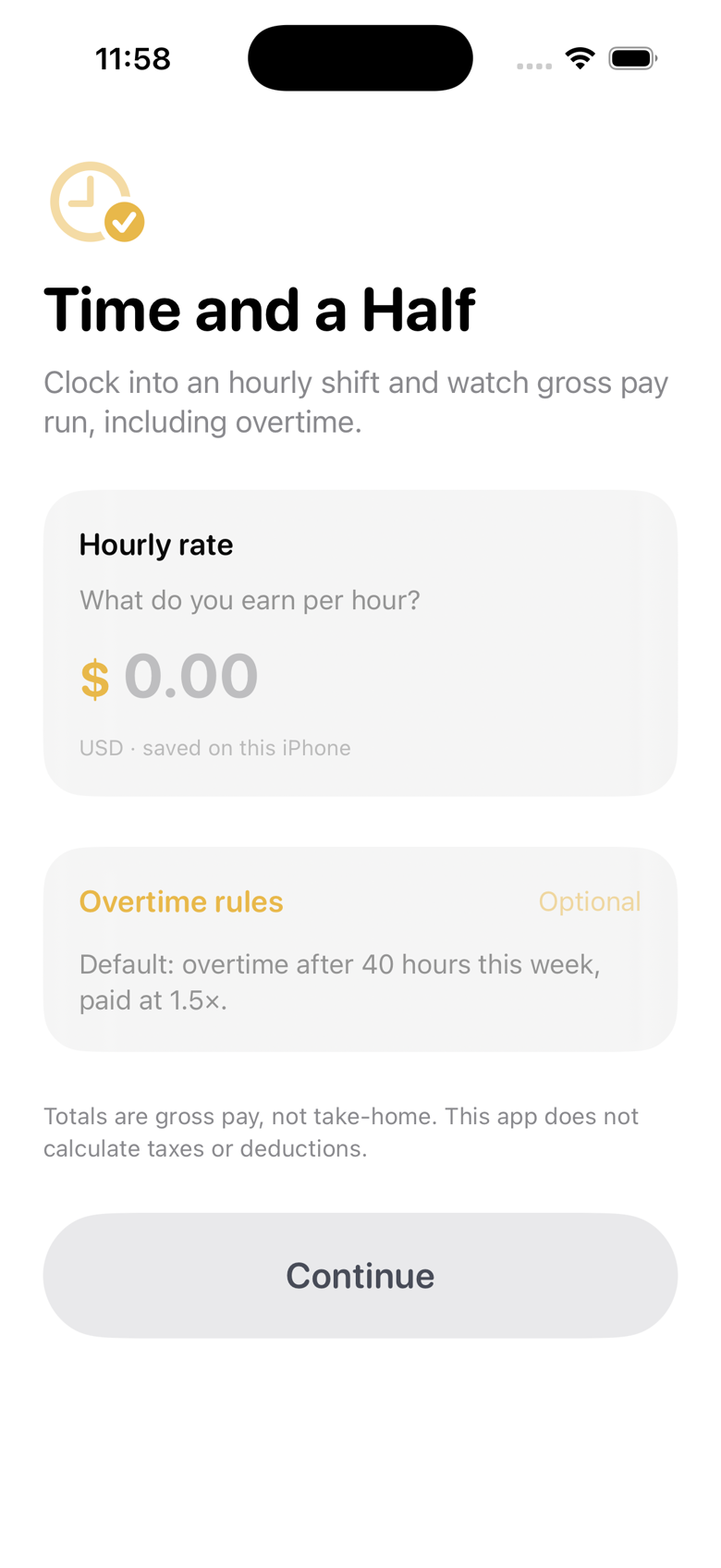
First launch
Type the hourly rate. Everything else is optional. Nothing is created in the cloud because nothing ever leaves the phone.
Submitted for review on 3 Sep 2026. The buy button replaces this note the hour Apple approves it.